
Some applications that Cycle interacts with require key presses beyond what can be done from the standard key mapping. Examples of this might include F keys higher than F12. In order to use such keys, Cycle can be pointed at a custom key mapping file.
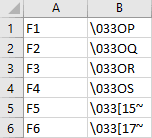
The format of these files should take is a CSV with no header row and 2 columns:
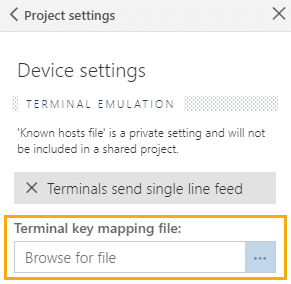
This setting is located in the Project Settings area under Device Settings.
Commonly Used Alternative Key Mapping Files
The following list of known key mapping files are available for download and use within Cycle:
- MGT
- RXVT
- SCREEN
- VT100
- VT100Plus
- VT220
- xTermFree86
- xTermX11R6